Compare 2 to 5 products
Compare a minimum of two and a maximum of five products in one calculation.
Compare 2 to 5 products by quantity and price and see which option has the lower normalized unit price using a common compatible comparison unit.
This calculator is useful for grocery shopping, household purchases, bulk buying, packaged products, and other situations where different quantities and prices make a direct comparison difficult.
USE THIS TOOLLooking only at the total package price does not always tell you which product offers better value. One product may cost ₹100 for 1 kg while another may cost ₹109.33 for a different quantity. Comparing the package prices directly can therefore be misleading.
This calculator normalizes compatible product quantities to a selected comparison unit and calculates the normalized unit price. This gives you a common basis for comparing products with different quantities.
The calculator can help shoppers, households, small businesses, retailers, and anyone comparing products with different quantities and prices.
Enter the quantity, unit, and price for each product. Then select the comparison unit you want to use. The calculator uses the available conversion factors to normalize compatible quantities to a common basis.
It then calculates a normalized unit price for each product. The product with the lowest normalized unit price is shown as the Best value.
Supported measurement categories include weight, length, volume, area, and count.
Suppose Product A costs ₹100 for 1 kg, while Product B costs ₹109.33333333 for 1.09333333 kg.
| Product | Quantity | Price | Normalized price |
|---|---|---|---|
| Product A | 1 kg | ₹100 | ₹100 / kg |
| Product B | 1.09333333 kg | ₹109.33333333 | Approximately ₹100 / kg |
In this situation, looking only at the package prices is not enough. Normalizing the quantity provides a common basis for comparing the two products.
If Product A costs ₹100 per kg and another product costs ₹120 for 1 kg, Product A has the lower normalized unit price and is therefore the better value based on price alone.
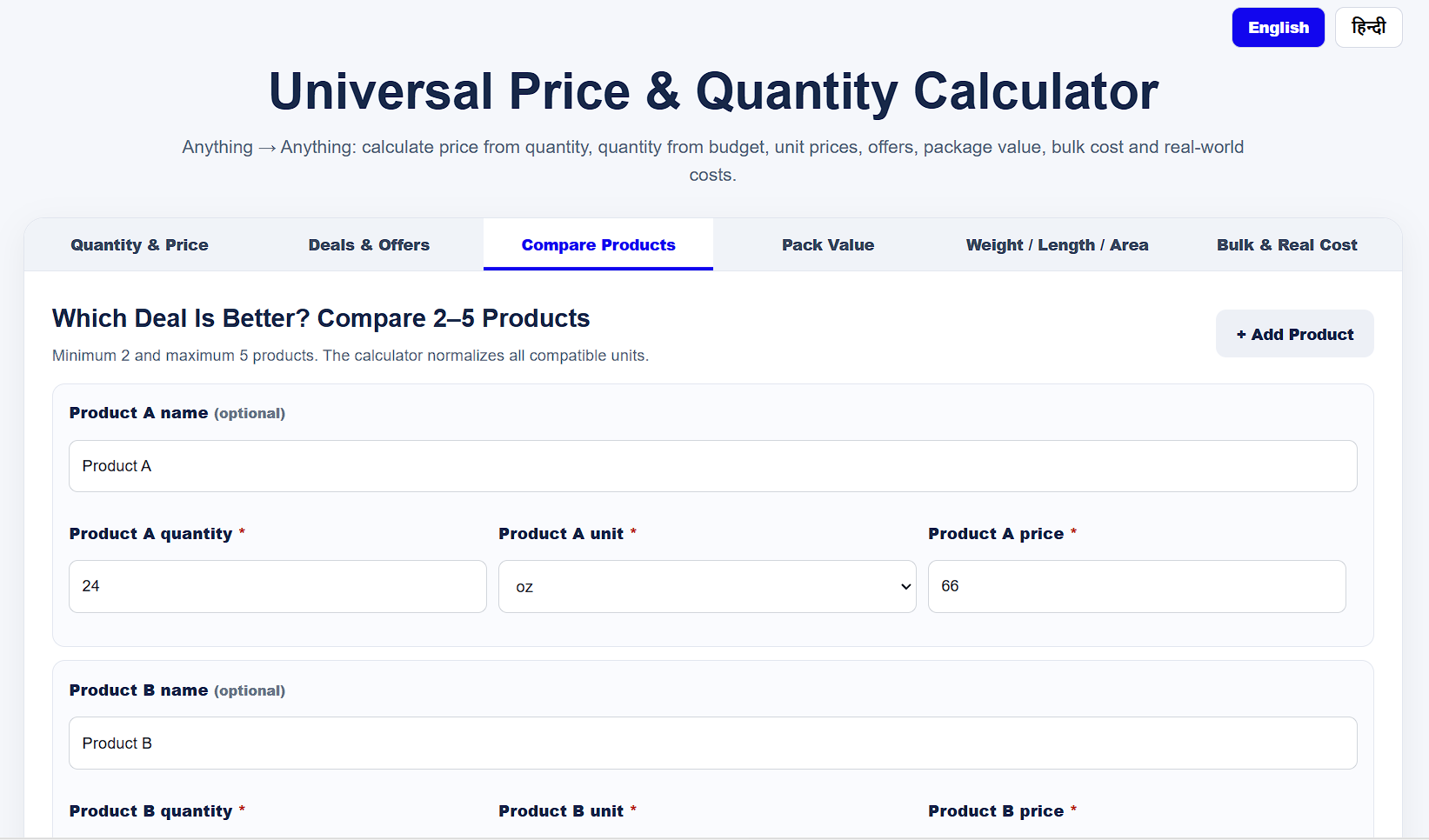
Enter Product A and Product B information, add more products when needed, choose the comparison unit, and start the comparison.
Compare a minimum of two and a maximum of five products in one calculation.
Compatible units are normalized to a common comparison unit so products can be compared more meaningfully.
Supported units cover weight, length, volume, area, and count categories.
Product prices can be entered using available currencies including INR, USD, EUR, GBP, AED, SAR, JPY, CAD, AUD, CHF, KRW, SGD, NZD, and HKD.
The product with the lowest normalized unit price is identified as the Best value in the comparison.
The result also shows a best-value saving percentage to help understand the relative price difference.
Open the Compare 2–5 Products Calculator to begin.
Enter Product A and Product B. Use Add Product if you want to compare a third, fourth, or fifth product.
Product names are optional, but adding them makes the comparison results easier to identify.
Enter the quantity for each product and select its correct unit from the available list.
Enter the product price and select the appropriate currency.
Choose the common unit you want to use for comparing compatible products.
Start the calculation to see normalized unit prices and the Best value result.
Review the Best value, normalized unit prices, and best-value saving percentage.
Best value identifies the product with the lowest normalized unit price in the comparison. It is based on the selected comparison unit rather than simply the total package price.
This shows how much the product costs for the selected comparison unit. For example, a weight comparison may show a result such as ₹100 / kg.
The saving percentage helps express the relative price difference between the best normalized price and other comparison results. It should be interpreted within the specific comparison shown by the calculator.
The calculator converts compatible quantities using the available unit conversion factors and then calculates the normalized price.
In simple terms:
Normalized unit price = Product price ÷ Normalized quantity
For example, if a product has a normalized quantity of 2 kg and costs ₹200, its normalized price is ₹100 per kg.
The best-value saving percentage expresses the relative price difference between the better normalized price and other comparison results. The exact result depends on all products entered and the selected comparison unit.
The calculator supports multiple measurement categories and units. Units should be compared within compatible categories.
| Category | Supported units |
|---|---|
| Weight | mg, g, kg, oz, lb, stone, metric ton, ton, quintal |
| Length | mm, cm, m, km, inch, ft, yard, mile |
| Volume | ml, L, US tsp, US tbsp, US fl oz, US cup, US pint, US quart, US gallon, UK fl oz, UK pint, UK quart, UK gallon |
| Area | cm², m², ft², yd², in², acre, hectare |
| Count | piece, item, pair, dozen, pack, box, case |
For example, mg, g, and kg are compatible weight units, while mm, cm, m, and km are compatible length units.
Product prices can be entered using the available currencies in the calculator.
| Currency | Display |
|---|---|
| Indian Rupee | ₹ INR |
| US Dollar | $ USD |
| Euro | € EUR |
| British Pound | £ GBP |
| Other supported currencies | AED, SAR, ¥ JPY, C$ CAD, A$ AUD, CHF CHF, ₩ KRW, SGD, NZD, HKD |
Compare similar products with different pack sizes and prices using a common unit such as kg, L, or piece.
Compare larger and smaller packs to see whether a larger quantity actually provides a lower unit price.
Compare everyday products on a normalized quantity and price basis instead of relying only on package price.
Compare supplies or products within compatible measurement categories using normalized unit prices.
The calculator can compare values that are mathematically meaningful using the supported units, quantities, and prices.
Weight, length, volume, area, and count are different measurement categories. They do not share a general conversion basis, so unrelated categories should not be compared with each other.
Results depend on the values you enter and the selected comparison unit. Store taxes, delivery charges, membership benefits, coupons, or other commercial conditions should only be considered part of the comparison if they are already reflected in the price you enter.
Enter only the product information needed for your comparison. Avoid entering sensitive, confidential, or business information that you are not authorized to share.
Review the site's Privacy Policy before entering personal or sensitive information. Treat calculator results as a price comparison aid and check other product conditions before making a purchasing decision.
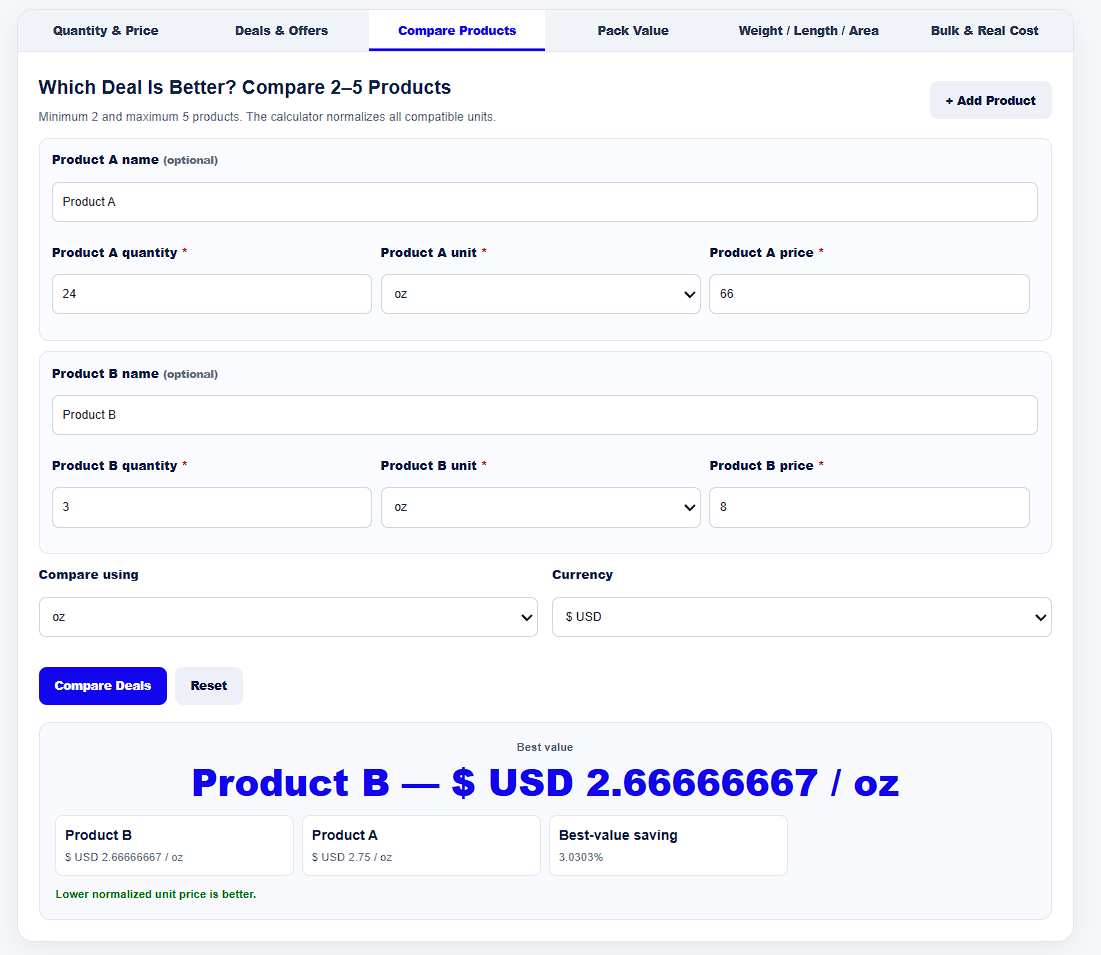
The result area shows the Best value, normalized unit prices for the compared products, and the relevant best-value saving percentage.
Relevant third-party shopping resources or services may sometimes be useful when comparing products. If relevant affiliate links are added to this page in the future, they will be clearly identified as affiliate or sponsored links.
Affiliate Disclosure: No specific affiliate product link is currently included on this page. If affiliate links are added, they will include appropriate disclosure and use rel="sponsored nofollow".
It compares 2 to 5 products by quantity and price. Compatible units are normalized to a common comparison basis to calculate normalized unit prices.
Yes. The calculator supports a minimum of two and a maximum of five products.
Multiple units are supported across weight, length, volume, area, and count categories, including kg, g, lb, cm, m, L, acre, hectare, piece, item, pair, dozen, pack, box, and case.
It is the product price expressed using the selected comparison unit. This makes products with different quantities easier to compare.
The product with the lowest normalized unit price is shown as Best value in the comparison.
Yes. Compatible units can be normalized to a common basis. Unrelated measurement categories such as weight and length should not be compared with each other.
No. Product names are optional, although they make the comparison results easier to identify.
Yes. It is a web-based calculator that can be used in a modern web browser.
It helps express the relative price difference between the best normalized price and other comparison results as a percentage.
It is useful for products whose quantities can be normalized using the supported compatible units. Unrelated measurement categories should not be compared with each other.
Enter 2 to 5 product quantities and prices, choose a compatible comparison unit, and compare normalized unit prices to identify the better value.
USE THIS TOOL